

The month in short
July was the month after the summit in San Francisco. I went into some kind of after-Summit blues. Meeting all those great people I'd only known from LinkedIn was such a good experience.
Databricks announced another founding round putting it at a $188 billion valuation. They say they will use it to double down on all things AI. Though this is very important, I hope they still have some focus left to excel at the basics that are the foundation to everything.
Release radar
The release notes read like they live up to both the foundation and AI. Here is what stuck out to me this month.
Pay-as-you-go pricing for Genie
What shipped: Genie products move to consumption pricing, with 150 DBU of free usage per month and metered charges above that. Previously usage was free up to a point, then power users got throttled.
Why it matters: it cuts both ways. It reads like Databricks starting to charge for something that used to be free, but it also removes the wall that heavy Genie users kept hitting, so serious usage is now predictable instead of capped.
Watch out: if you are an account admin, set up budgets before this bites. A few hardcore Genie users in the org can turn into a DBU bill you did not see coming.
Link: https://learn.microsoft.com/en-us/azure/databricks/release-notes/product/2026/july#genie-products-now-use-pay-as-you-go-pricing
Lakeflow Designer GA
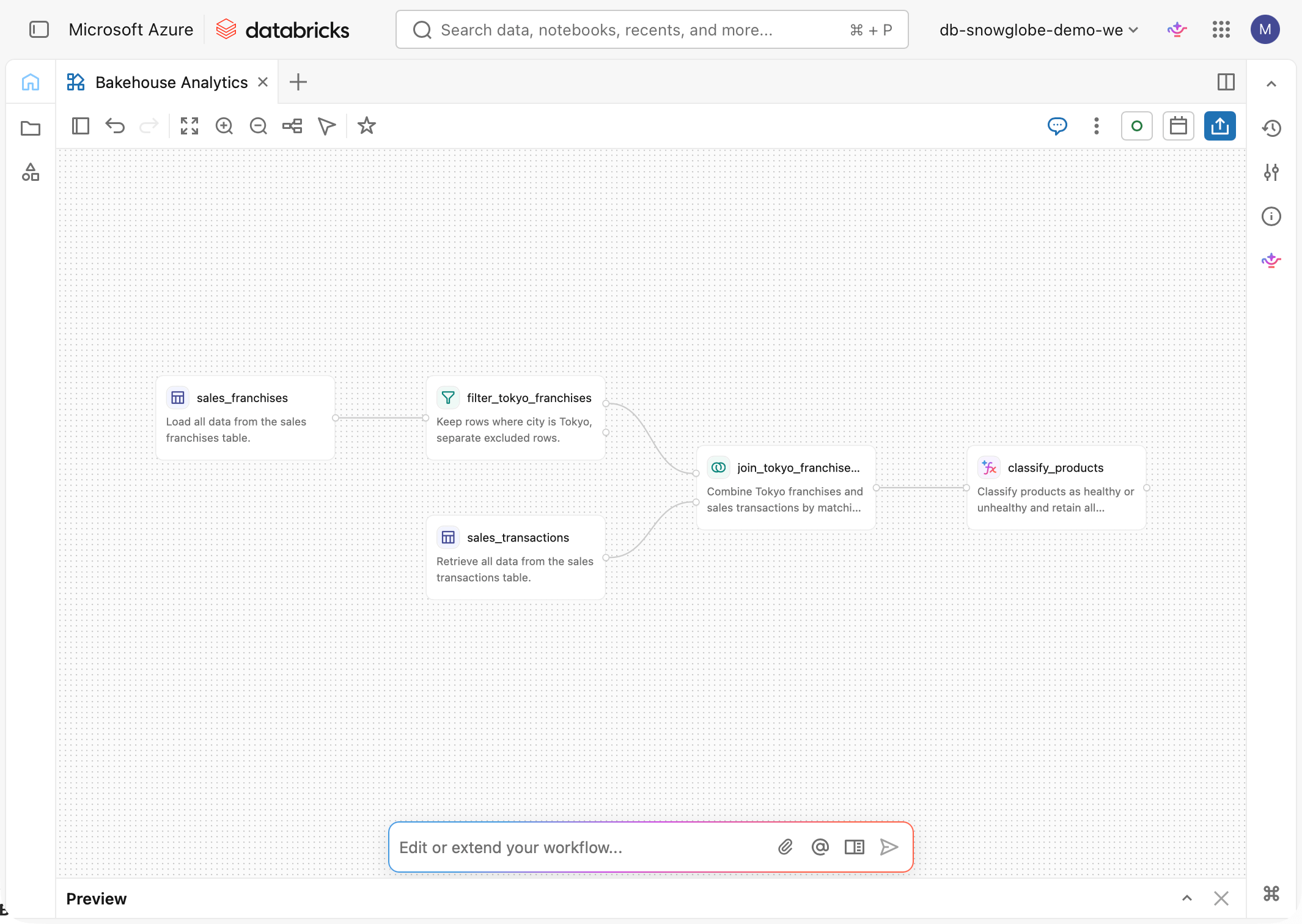
What shipped: Databricks' visual, low-code pipeline builder for non-technical users. You assemble a data prep flow on a canvas and it generates a notebook (<name>.designer.ipynb), one cell per operator, that runs on standard or serverless compute. It ships with the usual filters, joins, and aggregates, plus an AI-function operator for things like ai_classify and an escape hatch for custom Python.
Why it matters: it lowers the bar for who can build a pipeline without leaving the platform. And because the output is a real notebook you can drop in a repo, the visual work is not locked in a black box.
Watch out: I opened it up, and the generated code is readable but only just. Automatic generation leaves it more convoluted than the equivalent hand-written SQL, which would be more straightforward. For business users getting started it lowers the bar, but if you already write clean code this is not the way you will want to build.
Link: https://learn.microsoft.com/en-us/azure/databricks/release-notes/product/2026/june#lakeflow-designer-is-now-generally-available
Spark 4.2
What shipped: the release pulls more of the stack into the engine itself, with native metric views for a governed semantic layer, first-class Auto CDC in declarative pipelines, GA geospatial types, vector and top-K SQL primitives, and Arrow-optimized Python UDFs on by default.
Why it matters: metric views and Auto CDC are the two that earn their place on a real project. A native semantic layer means an agent, a dashboard, and a SQL query finally compute revenue the same way, and Auto CDC replaces the hand-written SCD Type 1 merge logic that every ingestion pipeline reinvents and gets subtly wrong.
Watch out: it lands in Runtime 19 (it is already GA) and metric views only pay off if you are disciplined about defining measures once instead of letting each team keep its own version.
Link: https://www.databricks.com/blog/introducing-apache-spark-42
Genie Spaces is now Genie Agents
Also, the renaming desk never sleeps. Once you have finished practicing that DABs are now Declarative Automation Bundles, here is the next one: Genie Spaces are now Genie Agents. Repeat: Genie Spaces are now Genie Agents.
The full list of release notes for July 2026 has some more gems like REPLACE WHERE flows and the object metadata column.
Feature of the month: Auto TTL on rows
Hubert Dudek shared a post about Auto TTL on rows for Unity Catalog tables that I was not aware of.
The basic idea is that a row gets deleted based on a value in a timestamp column (of type date, timestamp or timestamp_ntz) after a defined period of time.
This is very useful in scenarios where deletion of data is requested. Just update the timestamp column and the rest is done automatically. Another use case that comes to my mind is a large ingestion table that should be purged every now and then. This way you can define this behavior upon table creation.
Implementing this is as easy as this:
CREATE TABLE auto_ttl_rows (
  id INT,
  modified_timestamp TIMESTAMP_NTZ
)
DELETE ROWS 1 DAYS AFTER modified_timestamp;
Predictive Optimization takes care of the delete operation when the time has come. The feature went GA in June and requires Databricks Runtime 17.3.
Follow Databricks MVP Hubert Dudek on LinkedIn or his blog. He is a constant source of news around Databricks and shares every hack he discovers.
Worth reading and watching
Omnigent
Databricks MVP Zoë Van Noppen provides an introduction into the newly released open source meta harness for AI. In about 10 minutes she gives a walkthrough on how to install Omnigent and what you can use it for.
Omnigent moves fast, we moved from 0.3.0 to 0.7.0 in about four weeks. Follow Zoë on LinkedIn for the newest updates on Omnigent and much more.
AI/BI Lakehouse July newsletter
Tobi Wole and Robin Hübner are publishing a Monthly Newsletter covering everything new in Databricks AI/BI Lakehouse. Learn about these topics:
Genie Ontology maps and ranks your business’s knowledge
Genie One has evolved into your agentic coworker
Customise your Genie One homepage
Multi-fact relationships and cross-dataset measures
Reshape visuals on the fly with dashboard variables
Add Genie visuals to a Databricks dashboard
DABs (Declarative Automation Bundles) now supports Genie Spaces
Control Genie’s cost with Unity AI gateway

Databricks Community on Medium
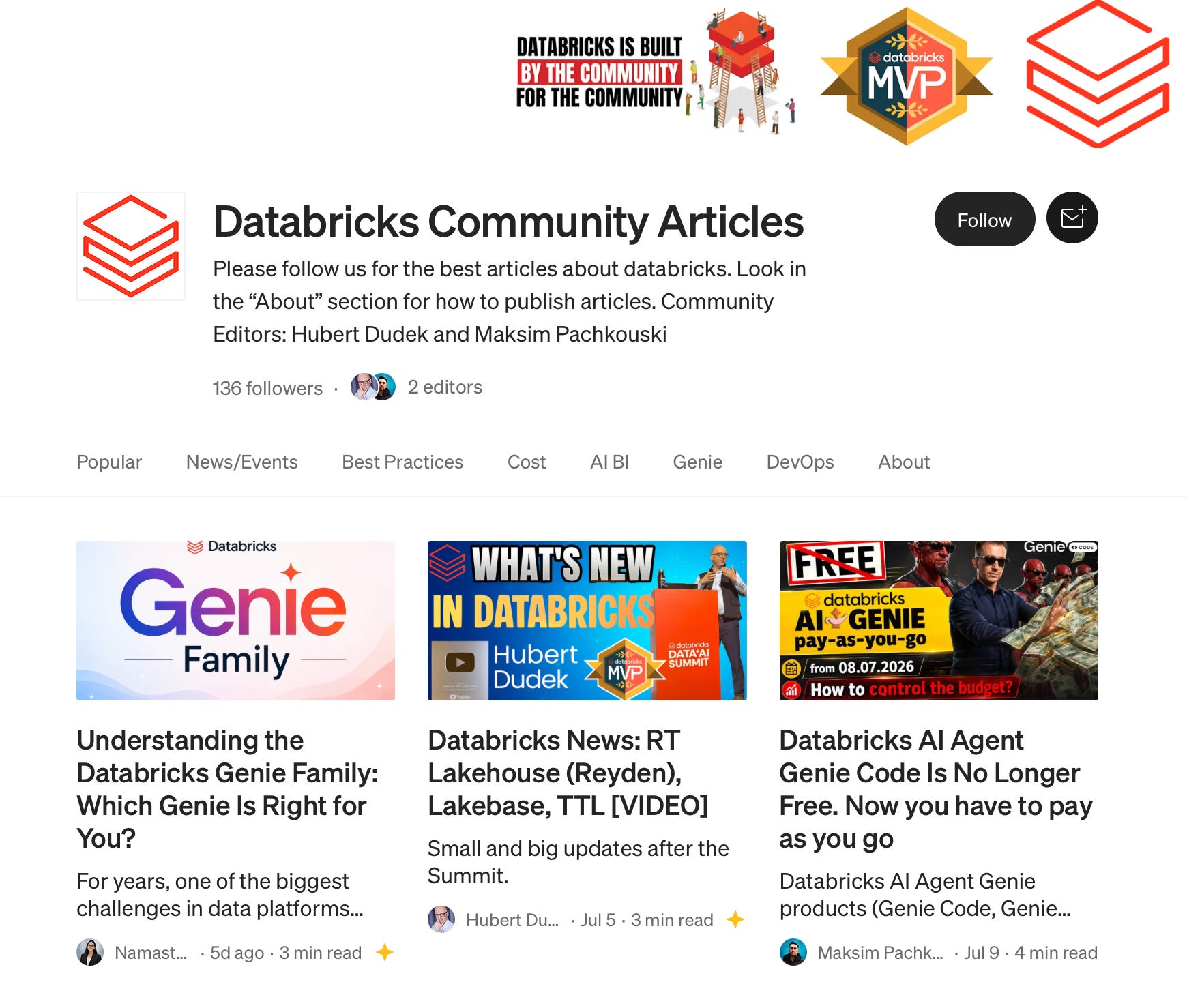
Databricks MVPs Maksim Pachkouski and Hubert Dudek created a Databricks community blog on Medium.
You can find a nice hands-on experiment from Maksim on the cost of using Genie now that is the pay-as-you-go.
Check it out!
Data + AI Summit recap
The same Maksim Pachkouski posted a comprehensive Data + AI summit recap from the perspective of a first-time visitor on LinkedIn. I spent a lot of time with him and so it was nice to read through that some time after I was home again.

From my desk
I put out some content during this month, sticking to my habit of posting something helpful on LinkedIn every week:
I also finished my Series on LinkedIn Analytics data to Databricks. It is a four part series about getting LinkedIn metrics via API into Databricks. This is a sometimes tedious process. If you want to read how this can be done:


At last: a definite highlight was when I woke up to some likes and a connection request from Ali Ghodsi on LinkedIn. I don’t know how I ended up on his radar, but I happily accepted and had a short message ping-pong with him. That made my month!

One question
What kind of maintenance job have you got running that can be replaced by the Auto TTL on rows feature?
Is that Hubert Dudek? 😅