

Every platform team goes through the same sequence with AI endpoints: first the excitement, then the adoption, then the invoice. Databricks has now shipped budgets to shorten that third step. Mostly.
Budgets have been generally available in Databricks since June 2026. This includes budgets for Unity AI Gateway. In this blog post we will activate Unity AI Gateway and set up budgets for AI models including Genie. Finally, we look at the shortcomings that will hopefully be fixed along the way.
Activate Unity AI Gateway
In order to properly set budgets on Unity AI Gateway models and services, this feature has to be activated. It can be activated only by Account Admins in the Account Console UI. Note that it is currently in Beta (as of July 2026).
Go to Previews and look for the Unity AI Gateway. Activate the feature.

Configure budgets
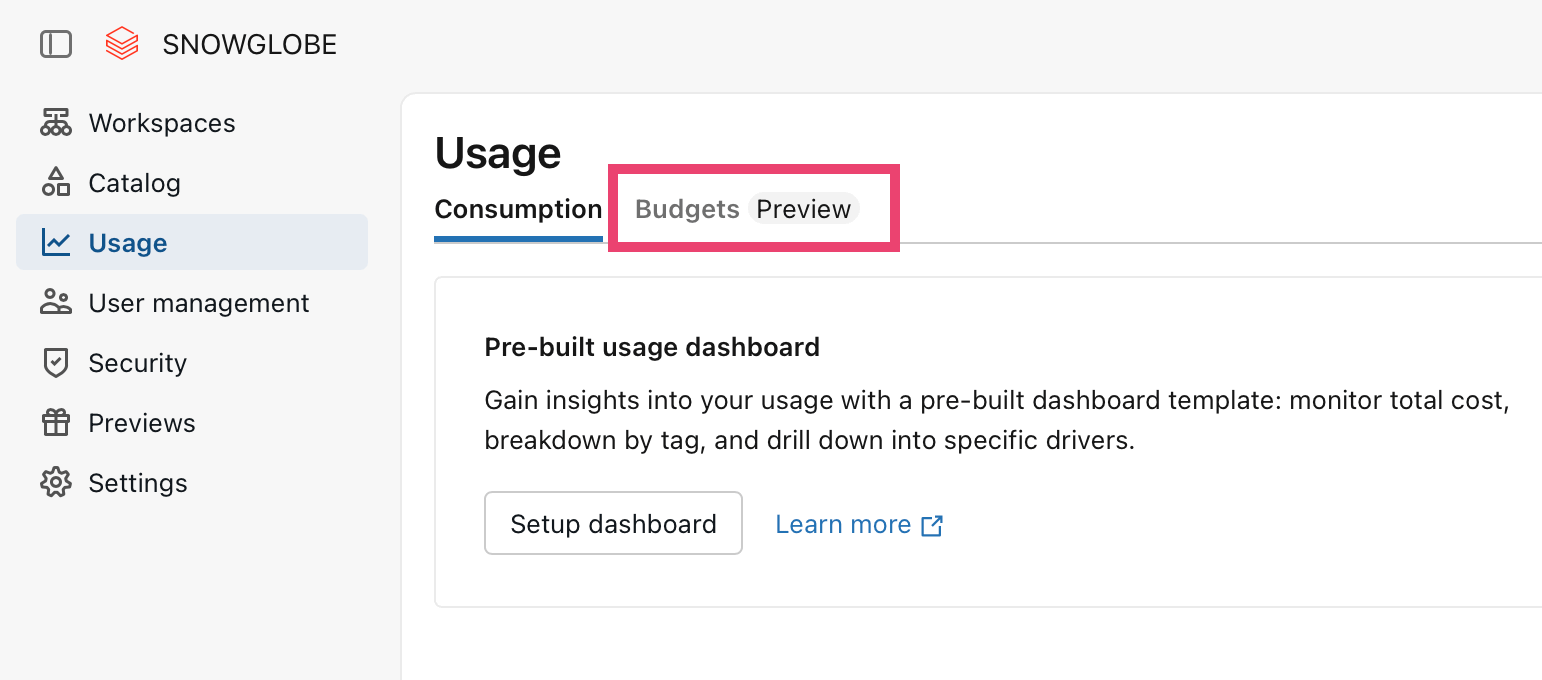
Budgets are also a feature to be found in the Account Console UI, but it is already GA (generally available). Navigate to Usage > Budgets.
Genie budget
First, since Genie is not totally free anymore and will incur costs when the free tier is exceeded, we will set up a budget explicitly for Genie.
On the budget page, click Create budget and fill out the form like this:
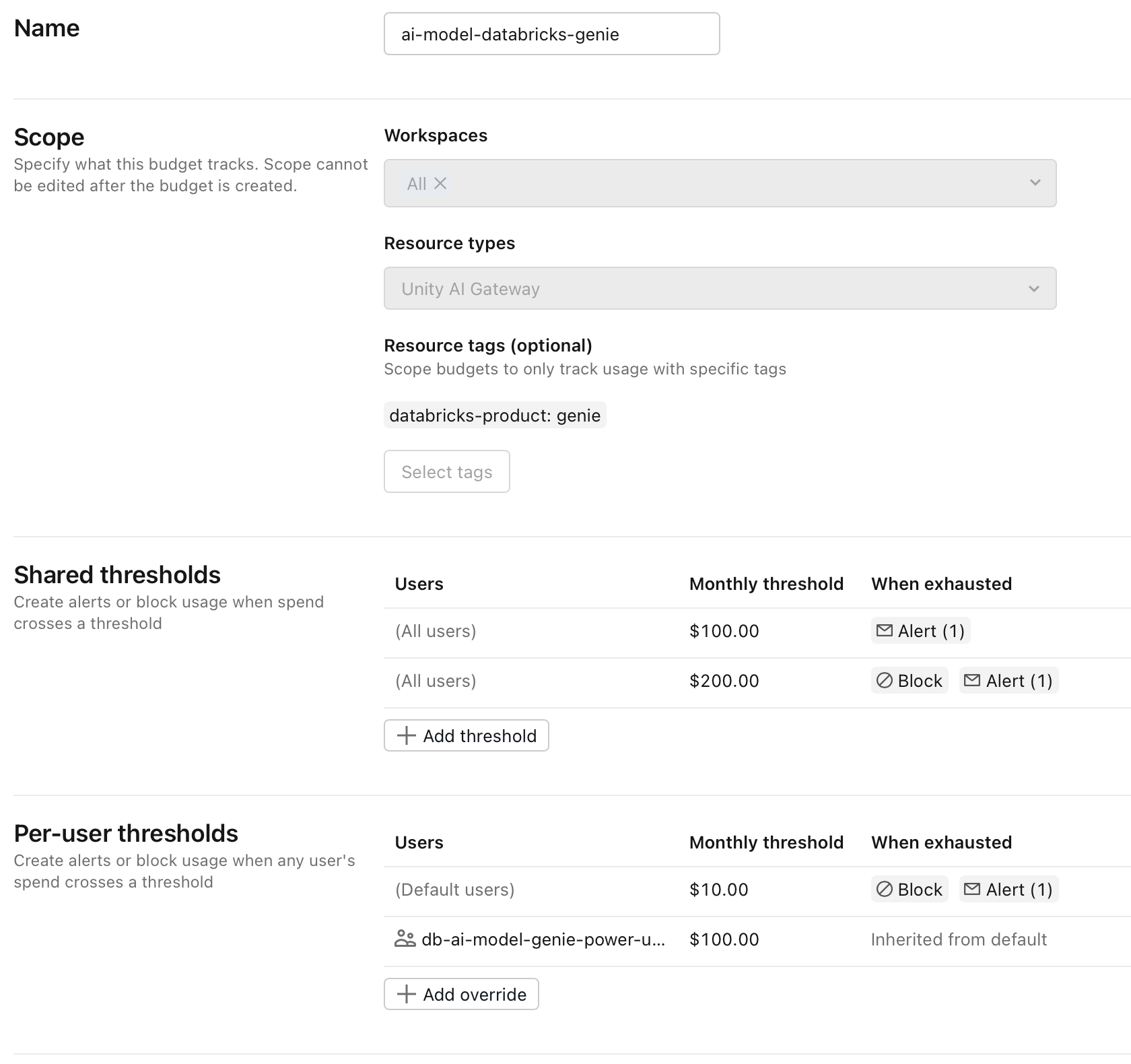
Some explanation about the chosen options:
This budget will be applied to all Workspaces, but you can choose any Workspaces you like to apply this budget to.
We set the resource type to
Unity AI Gatewaysince Genie runs through that.Under
Select tags, the selected option isdatabricks-productand the valuegenie.A
Shared thresholdfor all users at $100 notifies the users specified in the email addresses section of the threshold configuration when the value is passed. Nothing else happens.A
Shared thresholdwith a higher value of $200 sends another notification to a set of email addresses. Additionally, I set theBlockoption in order to stop access to Genie when this value is passed.A
Per-user thresholdconfigured in order to create a limit for each individual user of $10. The configuration here is to send an alert and block the user from using Genie.I added an override threshold that applies to a specific user group called
ai-model-genie-power-userwith a much higher value of $100 per user. This enables selected users to have more headroom when using Genie.
Unity AI Gateway budget
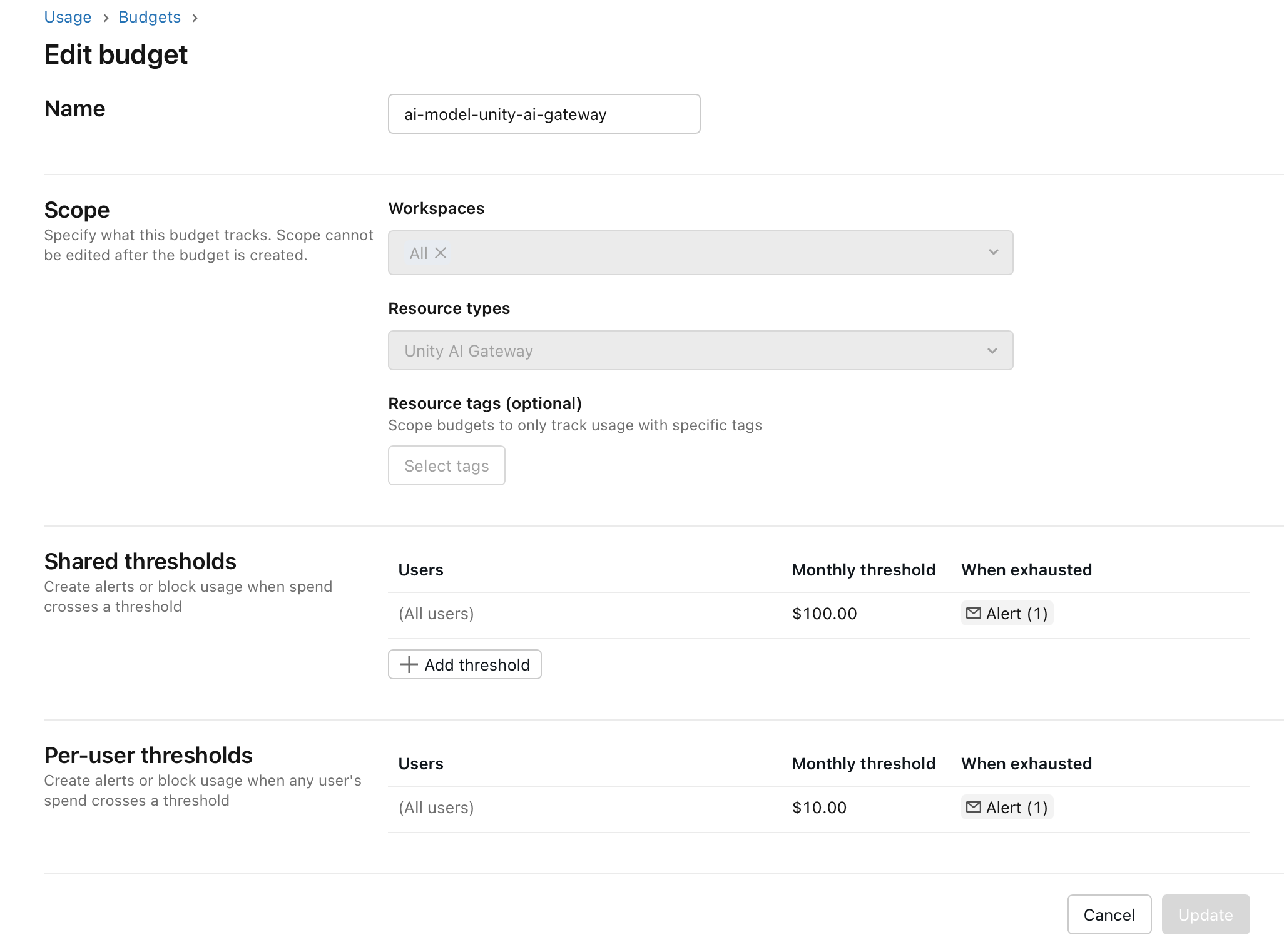
With Genie settled, we move on to create a general budget for everything that runs through AI Gateway. The configuration is the same as for Genie except that we don’t specify any Tags. In this way all Unity AI Gateway managed endpoints are monitored.
Note that only alerts are sent when the budget is exhausted on the Shared and the Per-user level. There is no option to block the user. So, in fact the budget does not restrict the user in consumption in any way. Currently, it is only a means to be notified when a certain threshold is being passed.
Usage tracking
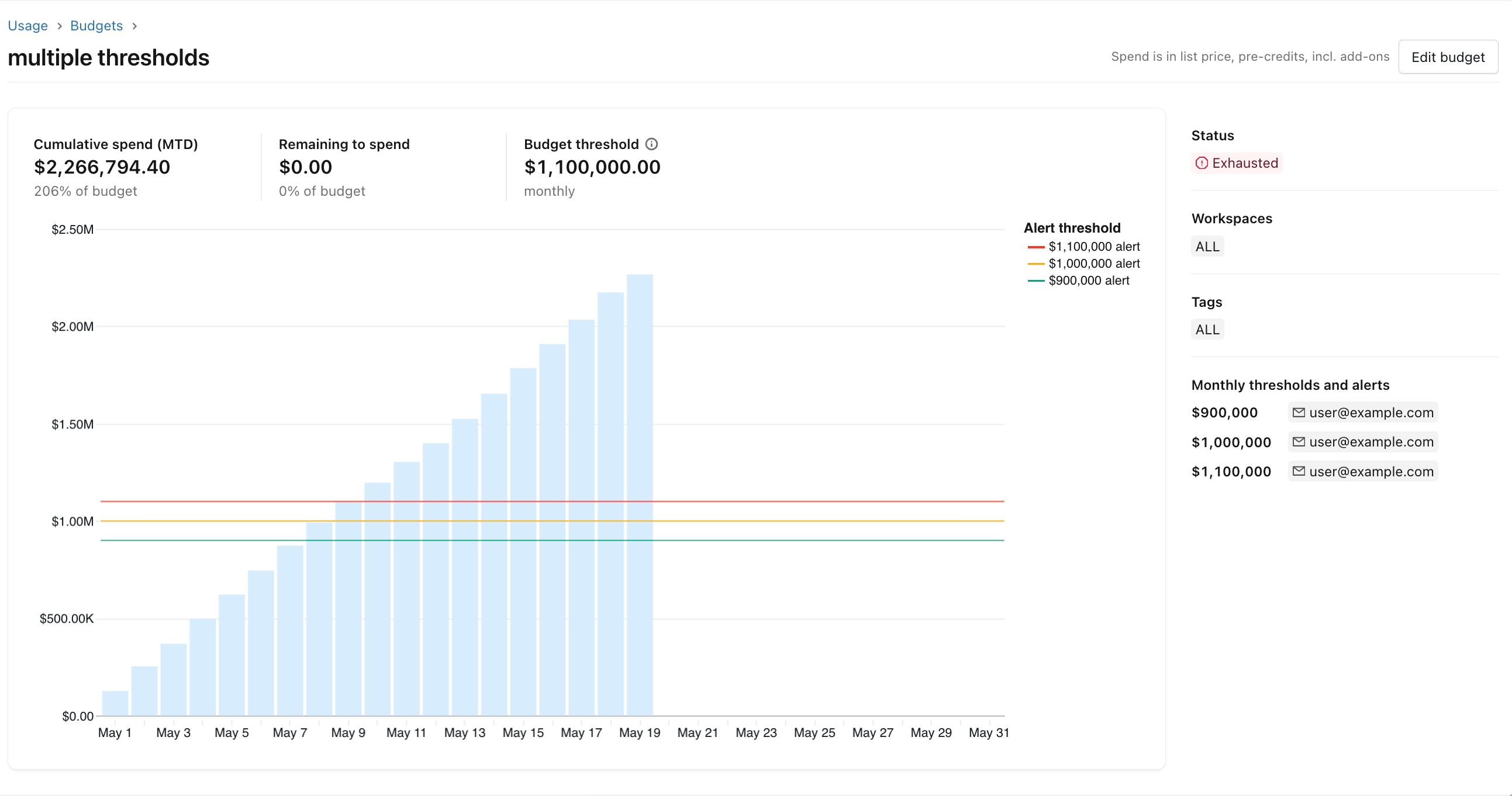
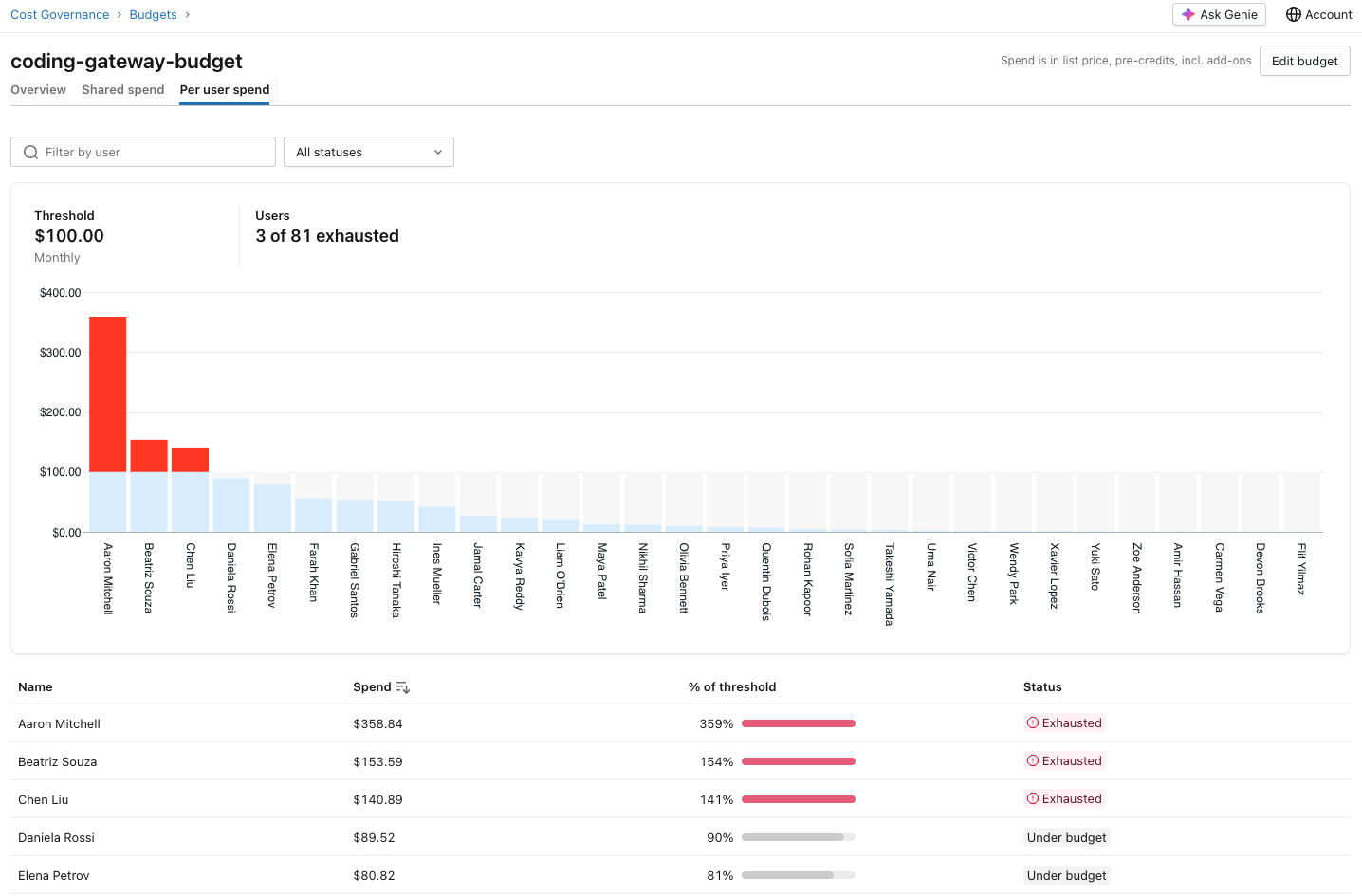
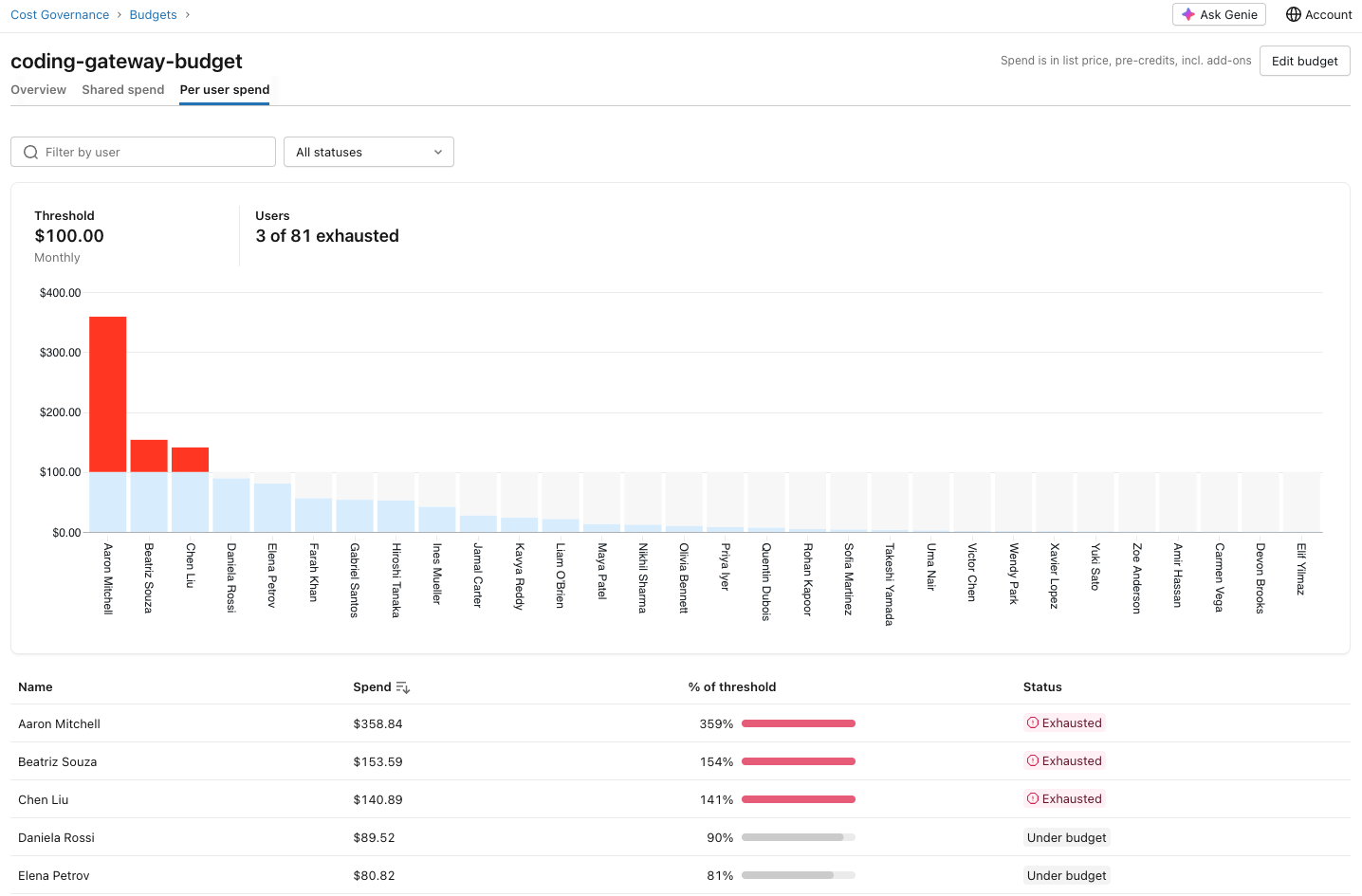
After the budgets are set up, an overview appears on the budget page in the Account Admin Console UI.

In the workspace you can see the budgets applied to a certain model as well (as long as you are an account admin).
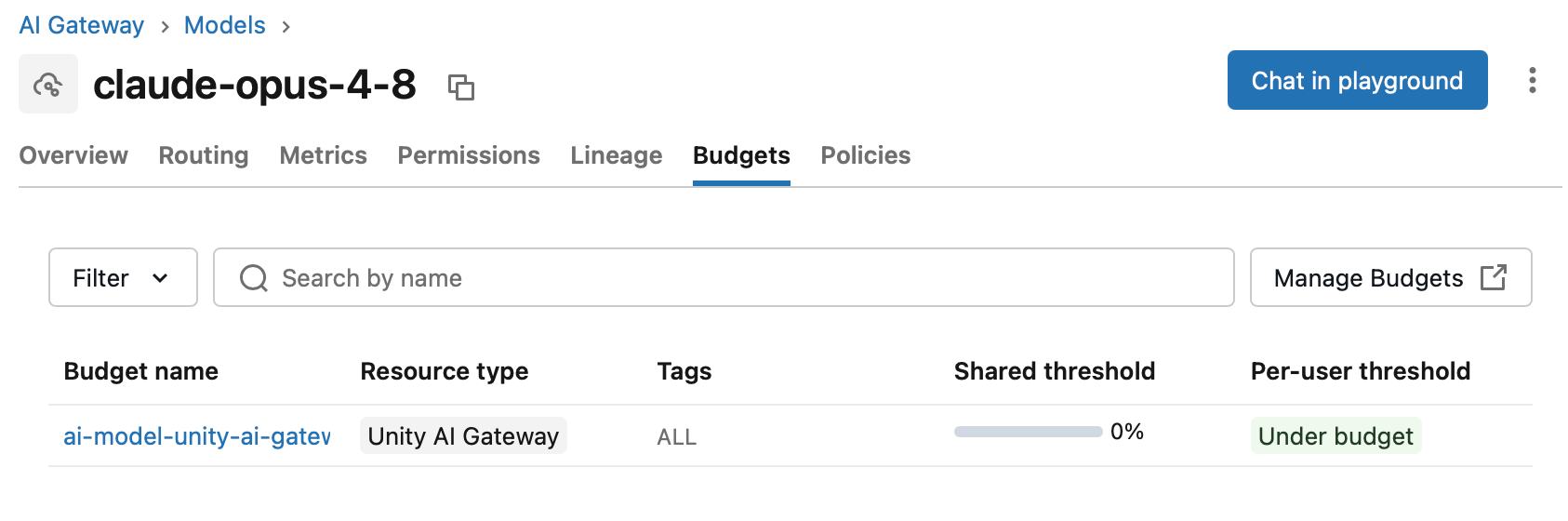
I do not much of AI model consumption going on in my workspaces currently, so to see how this looks like for the account admin we have to use the screenshots from the documentation:

The bottom line
In the beginning, I was very excited about the budget feature. I assumed that once you hit a limit, usage would be blocked in order to avoid overspend. It turns out this is just the case for Genie, not for the other AI Gateway managed models. Hopefully, this will be something Databricks adds as they move ahead with the Unity AI Gateway evolution.
In order to avoid users spending too much, a workaround might be to introduce rate limits with very low thresholds. But this will not solve the problem and in the end will annoy the user if they are allowed to send only 10 requests per minute or so.
With the newly introduced Unity AI Gateway permission management in Unity Catalog we have at least the possibility to restrict model usage to certain user groups. This is also a topic I am currently exploring.
So while budgets for AI Gateway are a step in the right direction, I think with explicit blocking missing this is only half of the job.
Did I miss anything or did I get something wrong? Leave a comment or reach out to me.